
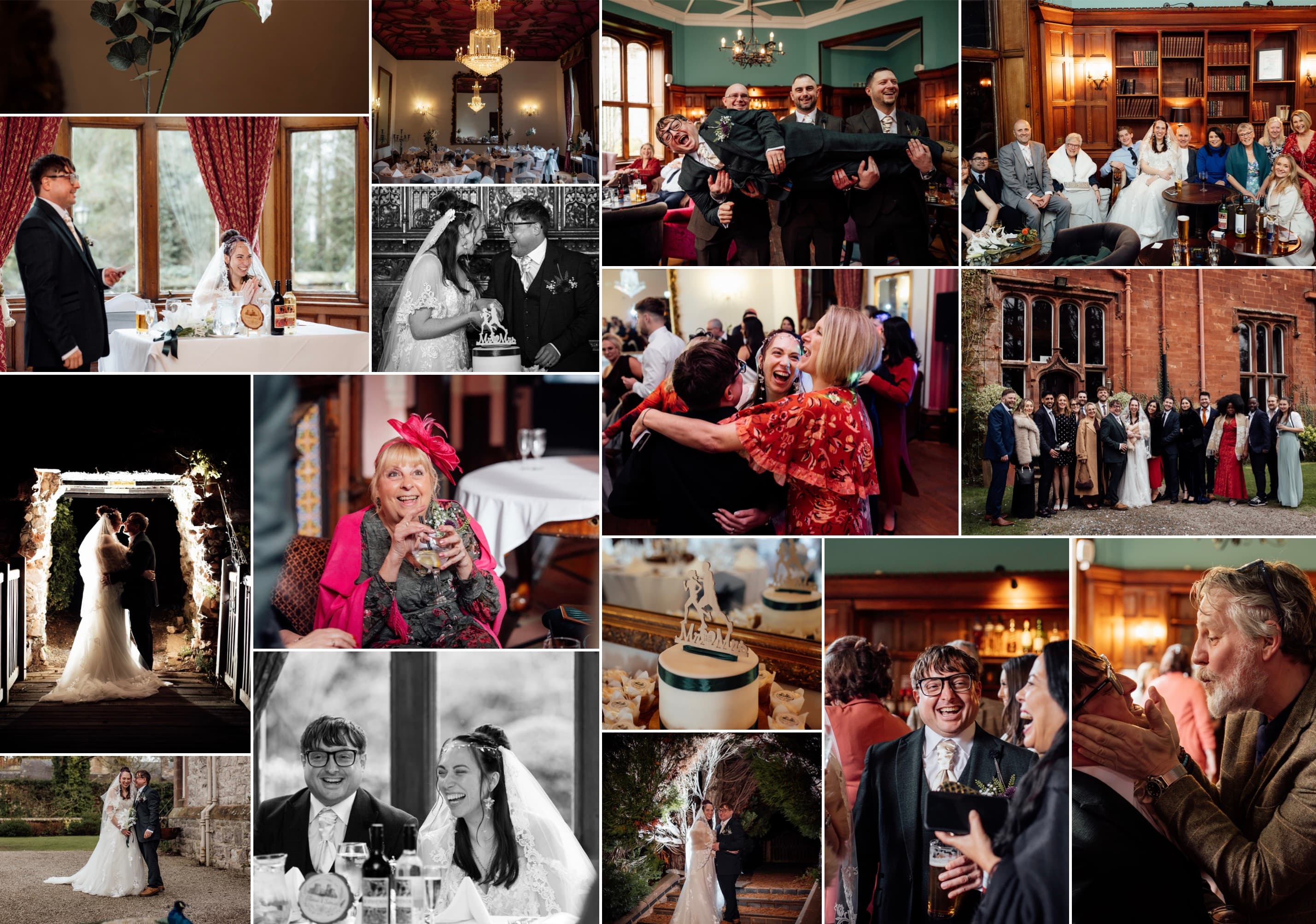
A few weeks after the wedding, the gallery arrives. Six hundred photographs, sometimes more: the nervous morning, the vows, the confetti, the speeches that made everyone cry, the dance floor at midnight. You scroll through all of them once, maybe twice. You pick three for Instagram. And then the folder goes quiet, and it stays quiet — a whole day of your life, sitting in a directory no one ever opens.
The folder that never gets opened
This is the problem Mosaic Studio was built to solve. A few years ago I had exactly this: around 800 photos from a wedding, beautifully shot, and absolutely no idea what to do with them. I tried the usual print sites. Every template capped me at twenty or thirty images and dropped them into a rigid grid that made a wedding look like a school yearbook. Choosing thirty photos out of 800 felt like choosing which parts of the day were allowed to be remembered.
So most people do what I did for far too long: nothing. The photos wait for a project that never comes. A single framed print goes up — one moment, standing in for all of them.
Why one photo is never enough
A wedding is not one image. It is a sequence — a morning that becomes an afternoon that becomes a night. The look between two people during the vows matters because of the chaos of getting ready that came before it. Pick a single "best" photo and you lose the story; the whole reason there are hundreds of them is that no single frame could hold the day.
The point was never to find the one perfect photo. It was to keep all of them — and still end up with something you would actually hang on a wall.
What actually works: one mosaic, scores of photos
The answer that finally worked was a mosaic collage: scores of photos arranged into one composition, dense enough to hold the whole day but composed carefully enough to belong in a frame. That is the entire idea behind a wedding photo collage in Mosaic Studio. You add as many photos as you like — there is no fixed cap — and the AI reads each one for faces and focal points, then arranges them into a layout that frames every shot instead of cropping someone’s head off at the edge of a tile.
In practice it looks like this:
- Drag in a whole folder — the getting-ready shots, the ceremony, the candids guests took on their phones, all of it.
- Let the AI build the first layout automatically, then nudge the pieces you care about to make them larger.
- Adjust spacing, borders and rounded corners until it feels like yours, and add a date or a name if you want one.
- Order it as a print only once you love it — designing is free.
Choosing what goes on the wall
Once the collage is right, the format matters. A dense wedding mosaic wants room to breathe, so bigger is usually better — this is a good moment to look at a large photo collage rather than something small. For the finish, a gallery-quality canvas print suits soft, candid wedding photography, while brushed aluminium gives a sharper, more contemporary look. Every print is produced by a local studio and delivered to your door.
One thing worth knowing while you experiment: your photos stay on your device while you design. Nothing is uploaded as you drag images in and rearrange them — the finished artwork is only ever sent when you place an order and choose to print. You can try a dozen layouts at midnight and none of them leave your laptop.
And it is not only for weddings. The same approach works for the next milestone that generates too many photos to choose from — an anniversary photo gift built from years of the two of you, for instance. The folder full of memories does not have to stay a folder. It can be one thing, on a wall, that you actually see every day.